In short: PICUS means pilot in command under supervision: a first officer doing the captain's job while the captain supervises. It counts towards your ATPL, but under EASA, UK CAA and GCAA rules only when the captain countersigns every entry. With Wader, your captain can now sign a whole batch of PICUS flights from their phone, with one link and one signature.
What is PICUS in aviation?
Part-FCL defines PICUS as a pilot “performing, under the supervision of the pilot-in-command, the duties and functions of a pilot-in-command” (FCL.010). In practice, it is the first officer flying the sector as if they were the commander, making the decisions while the captain supervises from the other seat. It is one of the acronyms every pilot logbook uses, and one of the most valuable.
It is worth chasing. Under FCL.510.A, an ATPL(A) needs 1,500 hours, including 500 in multi-pilot operations and either 500 hours as PIC under supervision, 250 hours as PIC, or 250 hours with at least 70 as PIC and the rest as PICUS. For a first officer on a multi-pilot jet, PICUS is often the only realistic way to fill that box.
The FAA has no PICUS category: under 14 CFR Part 61 you log PIC or SIC. It matters to US pilots mainly when converting to an EASA, UK or GCAA licence.
PICUS logbook rules: who must sign
- EASA: PICUS is logged as PIC when “countersigned by the PIC” (AMC1 FCL.050(b)(1)(v)). Dual instruction is certified by the instructor, student PIC time countersigned by the instructor.
- UK CAA: the same, in ORS9 Decision No. 47 (May 2025).
- UAE GCAA: PICUS countersigned by the PIC, dual time by the instructor (CAR-FCL Issue 03).
- SACAA: PICUS credited towards the ATPL must be countersigned by the PIC (Part 61, 61.01.9(8)).
- FAA: training time endorsed by the instructor who gave it, lesson by lesson (14 CFR 61.51(h)(2)).
An electronic logbook changes none of this. The Irish Aviation Authority accepts electronic logbooks “providing that any flights requiring endorsement and/or countersigning have been signed” (IAA PLAM.024).
Why so many entries stay unsigned
The hours are real, but at a licence application or an airline interview, an unsigned PICUS column is hard to prove, and the captain you flew with three years ago may be at another airline.
The reason is the process: hand your phone or your paper logbook to the captain after the flight and get one entry signed at a time, on the jet bridge, when everyone wants to go home. Miss one day and the backlog only grows.
How to get your logbook signed remotely

- Open your logbook on the web at logbook.waderaviation.com and click Signatures, next to Filters. Or tick flights and choose Request signature.
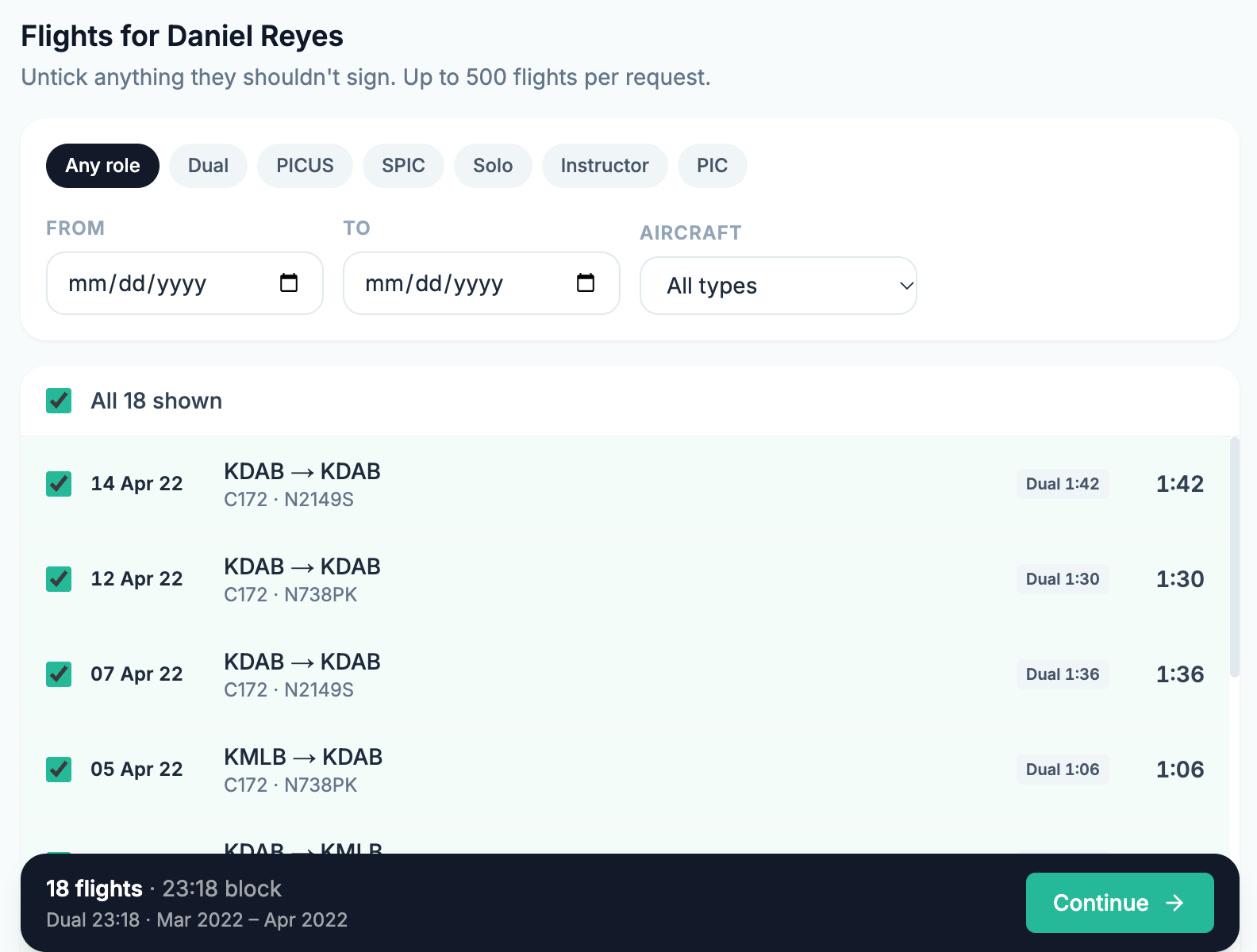
- Pick who should sign. Wader lists the people you flew with, from the crew names in your flights, with how many unsigned flights you have with each.
- Choose the flights. Every unsigned flight with that person is ticked. Filter by date, aircraft or role (PICUS, dual, SPIC, solo, simulator sessions) and untick anything they should not sign. Up to 500 flights per request.
- Send it. Wader emails the link with your name on it, or you share it yourself on WhatsApp.
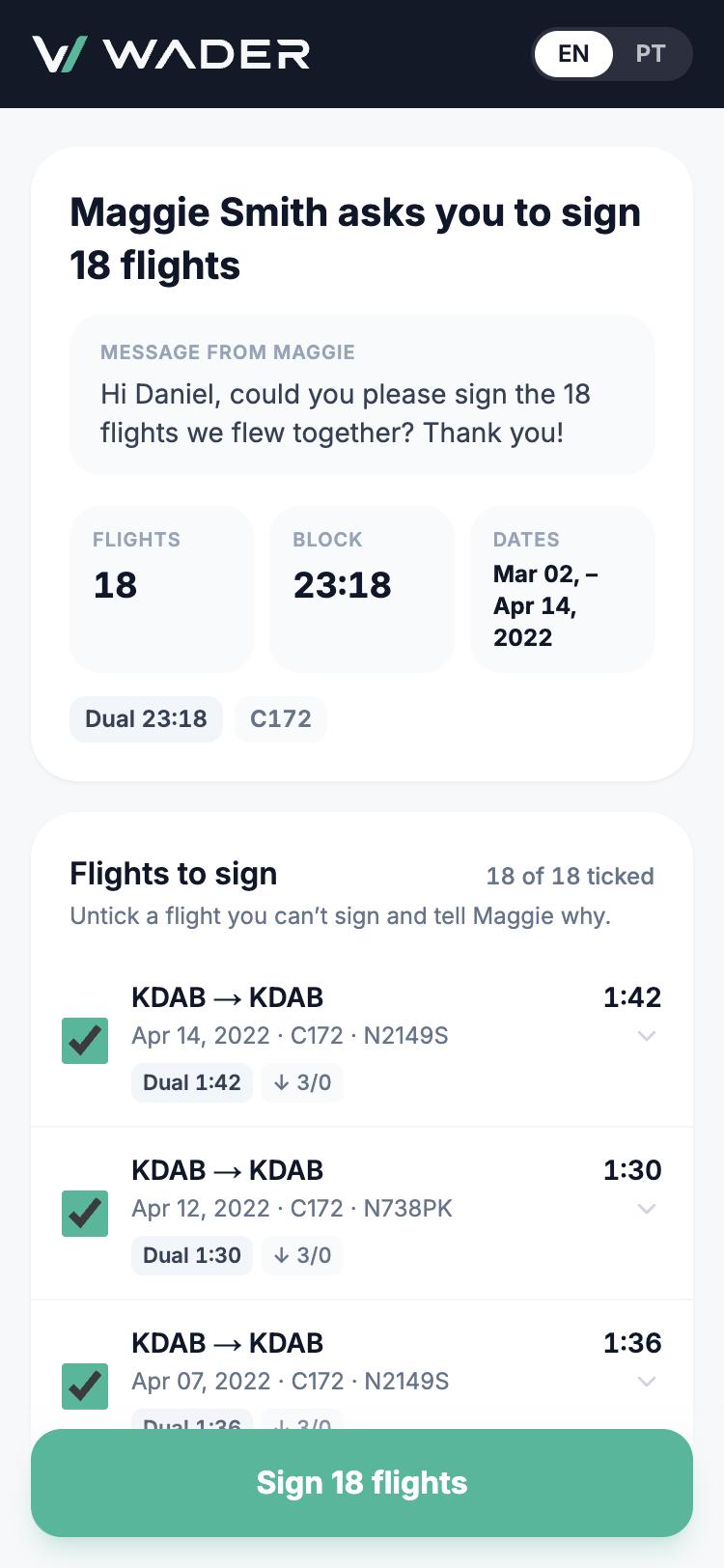
Your captain needs no account and no app. On their phone they see a summary and every flight in the request, never the rest of your logbook. They untick anything they cannot sign, add their name and licence, confirm one declaration and sign once. Done.
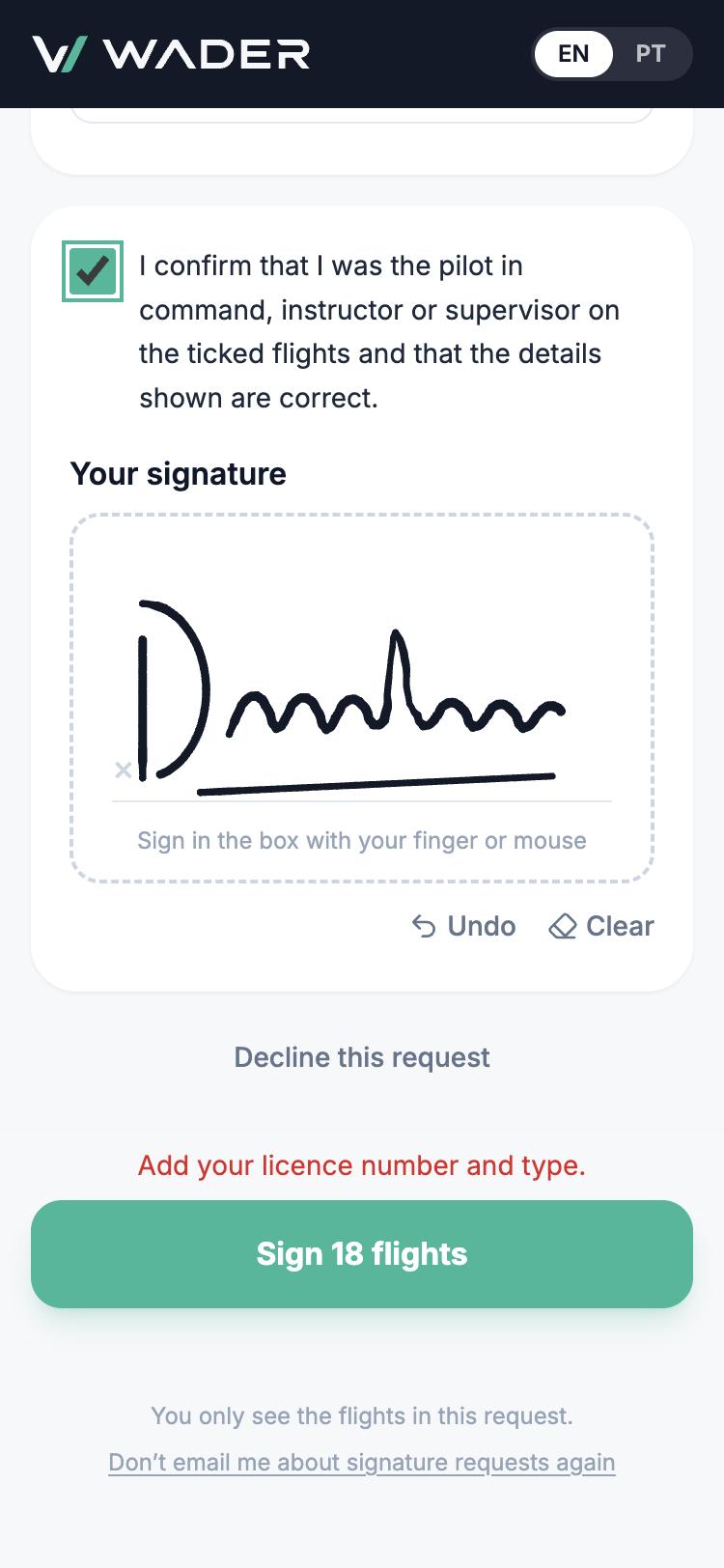
Why a remote signature holds up
- They sign exactly what you sent. The flights lock when you send the request; editing one cancels it.
- Who and when are on record. Name, licence, email confirmation and time are kept with the signature.
- Same as signing in person. The signature, name and licence are written on each flight, which stays locked, and print on your Wader logbook PDF, including the EASA, UK CAA, GCAA, FAA and SACAA layouts.
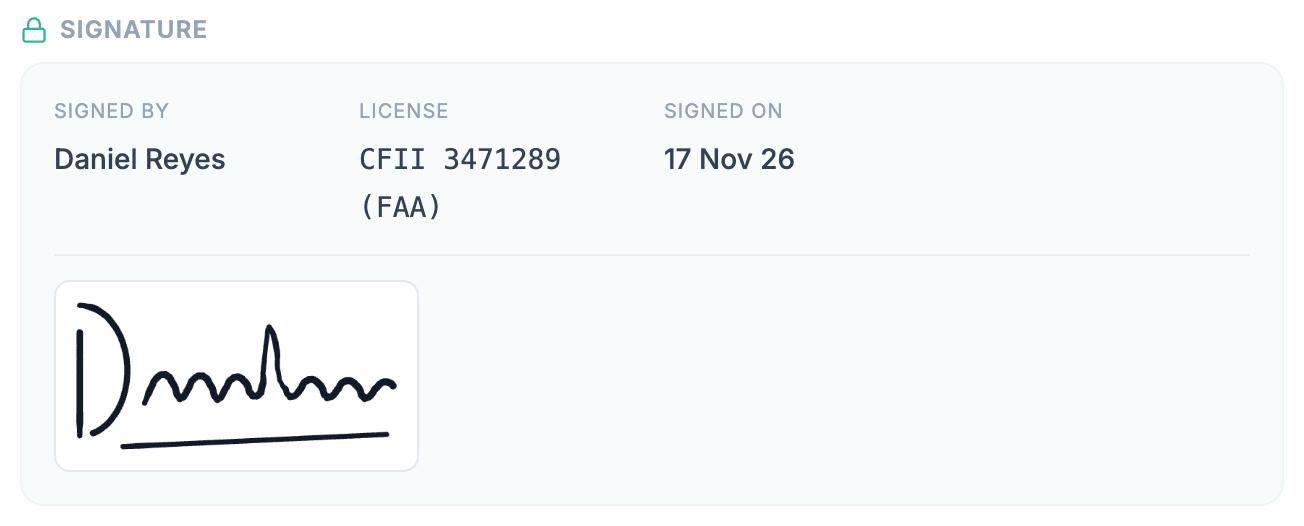
Each authority decides what it accepts, so check with yours before a licence application.
In trial on the web, coming to the app
Remote signing is live on the Wader web app for PRO pilots, and signing is always free for your captain or trainer. It is in trial, and the Wader app gets its own version next. Send one request this week, then tell me what got in the way and what you would change: antonio@waderaviation.com. I read every message.
PICUS: frequently asked questions
What does PICUS mean in aviation?
PICUS means pilot in command under supervision. Under EASA Part-FCL, it is a first officer performing the duties and functions of the pilot in command while the captain supervises. It is logged as PIC time and counts towards the ATPL, but only when the captain countersigns each entry.
Who has to sign PICUS time?
The captain who supervised you on that flight. EASA, the UK CAA and the UAE GCAA all require the PIC's countersignature on every PICUS entry. Dual instruction is signed by the instructor who gave it, and skill tests and checks by the examiner.
Does my captain need Wader to sign my flights?
No. Your captain opens a link on their phone or computer, checks the flights and signs once, for up to 500 flights. There is no account and no app to install. If they already use Wader, the request also appears in their notifications.
Is a remote signature accepted by my authority?
Each authority decides. Wader records who signed, which flights, the declaration they accepted and when, and prints the signature on your logbook PDF. Before relying on it for a licence application, confirm with your authority or training organisation.
Get your PICUS signed this week
Every PICUS sector you flew this year already has a captain's name on it. Turn it into a signature while they still remember the flight.
- On PRO: click Signatures in your logbook and send your first request at logbook.waderaviation.com.
- Not on PRO yet: remote signatures, signed logbook PDFs and airline imports are in PRO. See Wader PRO.
- New to Wader: 18,000 pilots have logged over 7.5 million flights with Wader. Get Wader.
Blue skies,
Antonio Ferraz, B777 Training Captain, CEO of Wader