


Quick Tips to Scan for Threats in METAR/TAF Messages


As a professional pilot, one of the most critical skills you can develop is the ability to read and interpret METAR and TAF messages quickly and accurately.
While most pilot training introduces these reports, real-world operational fluency is often overlooked. Being able to spot weather threats in seconds can make the difference between a smooth flight and a complex decision-making scenario in the air.
At Wader, we know how important it is to reduce cognitive load while preparing your flight, which is why our platform decodes every METAR and TAF into plain language, highlighting critical elements instantly. But understanding the principles behind the raw data is still key.
During operations, pilots face time pressure:
Turnarounds and fuel-stop decisions
Last-minute weather checks before departure
Determining if an alternate is necessary
Having a reliable mental scan method ensures you can identify threats quickly without getting lost in codes and abbreviations.
Key METAR/TAF Threat Scanning Tips
Here’s a concise, pilot-friendly checklist to scan weather reports effectively:
Focus on the Red Flags First
Start by checking visibility, ceiling, wind, and significant weather.
This approach avoids reading left-to-right blindly and immediately flags significant weather, tendencies and operational risks.
Wind

Keep in mind:
Wind direction in METAR/TAF is reported in true degrees
Wind direction in ATIS/Tower reports are in magnetic degrees
24015G28KT
Watch for large gaps between steady wind and gust component, as they can indicate potential windshear and moderate turbulence during takeoff or landing.
"VRB" code indicate variable wind direction with less than 6 knots of intensity, signaling instability, but low-energy wind conditions.
Visibility & Ceiling

Units can vary by region: statute miles in North America, meters internationally.
A temperature-dewpoint spread under 3°C is a fog alert at any time of year
Freezing levels: trigger to assess cold weather operation, icing risk, runway condition & braking action
Check for any precipitation (RA, SN, DZ) or obscurations (FG, HZ, FU). These elements directly affect visibility and ceiling, runway conditions, and alternate planning.
Ceiling below 1,000 ft + vis less than 3 SM: immediately think IFR constraints and keep alternate implications in mind
Watch for Convective Activity
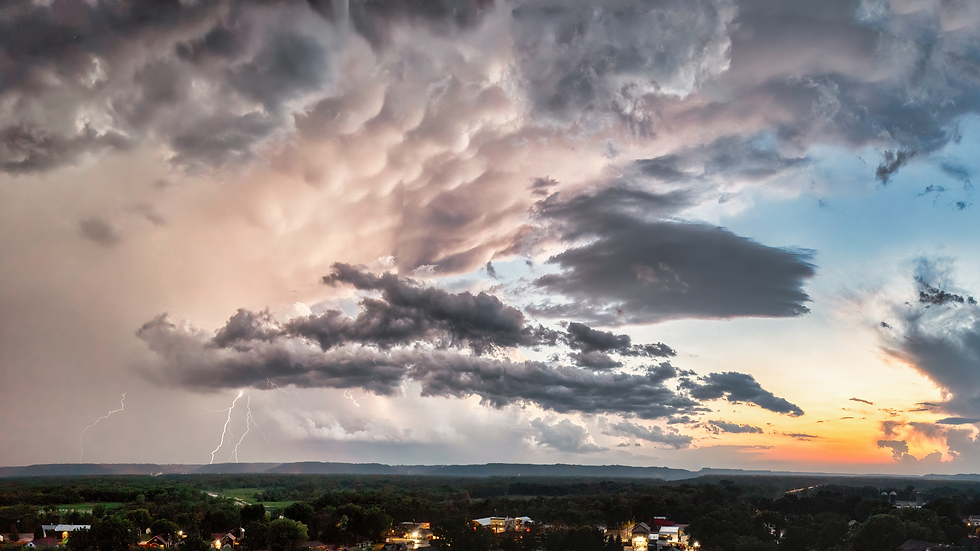
CB/TS or +RA codes indicate potential thunderstorms, turbulence, or hail.
Immediate consideration: fuel planning for holding, alternate options and enroute deviations.
Look for trends
Compare previous METARs and TAF. Is the weather improving or deteriorating?
Rapid drops in QNH/altimeter readings can indicate approaching fronts or deteriorating systems.
Integrate with other weather products for a holistic threat assessment.
Fast and accurate weather assessment is a professional edge. Developing a mental scanning routine and understanding the operational meaning behind codes will keep you ahead in safety and efficiency.
How Wader Pilot Logbook Helps

While knowing how to read METAR/TAF is essential, the cognitive load in operations is high.
Wader decodes METAR and TAF, shows tendency charts and color-coded highlights that flag significant weather for you.
It doesn't replace the knowledge. It removes the cognitive load so the decision gets your full attention, immediately.
Start logging your flights and decode every METAR/TAF with Wader Pilot Logbook today. Download Wader App for iOS and Android. Or open any browser and go to logbook.waderaviation.com to try the WebApp.
#WaderAviation #FlightSafety #AviationSafety #PilotTraining #AviationEducation #Avgeek #METAR #TAF #PilotTips


Comments